ioSuite start page
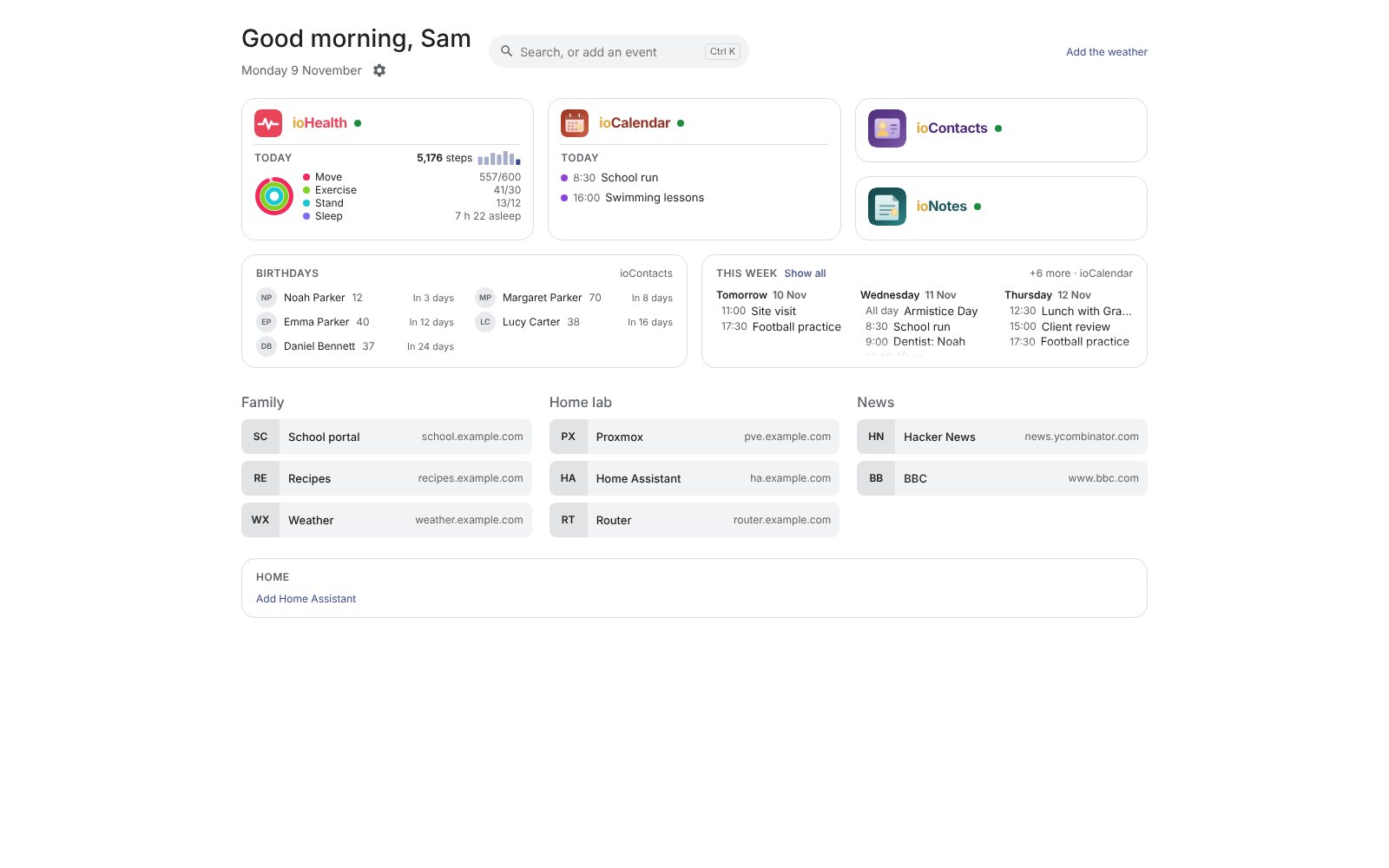
A self-hosted home page for the family: a tile per installed app, with what matters today on it. It is optional: every app works without it. It earns its place once you run two or more apps.
What it does
- A tile per app, found by itself: every app registers in the suite's list of apps, so there is nothing to type. An app that isn't installed has no tile.
- A glimpse of each app: ioPix's photos from this day in earlier years, ioCalendar's rest of today, ioHealth's steps, rings and sleep; each person sees only what that app shows them.
- The week ahead: a Birthdays card (ioContacts) and a This week card (ioCalendar).
- A search box (⌘K / Ctrl-K) across the apps and bookmarks, the web as a fallback, and Quick add for events.
- Weather (AccuWeather, a free key), Home Assistant entities you can switch from the page, and bookmarks.
- A wall display for a tablet: photos behind a big clock, the weather, today's and the coming days' events.
- Your own page: each person hides and orders tiles and cards.
With the other apps
ioSuite is all about them: it shows a tile and widgets for each app it finds, asks each app with the viewer's own sign-in, and leaves a tile as it was when its app is down.
Install
| Proxmox VE | bash -c "$(curl -fsSL https://raw.githubusercontent.com/avandeputte/iosuite/main/proxmox/ct/iosuite.sh)" |
| Docker | docker-compose.yml, or the whole suite in one stack |
| Any Linux or Mac | git clone https://github.com/avandeputte/iosuite && cd iosuite && ./setup.sh |
| Port | 8630 |
| Source | github.com/avandeputte/iosuite |
Its Proxmox installer is a convenient place to start with several apps: tick the others in its checklist.