ioNotes notes
Your notes, clipboard snippets and screenshots, searchable everywhere. The server keeps them in its database, pictures included, and gives you a web app; the ionotes apps for Mac, iPhone and iPad keep a full copy and sync with it.
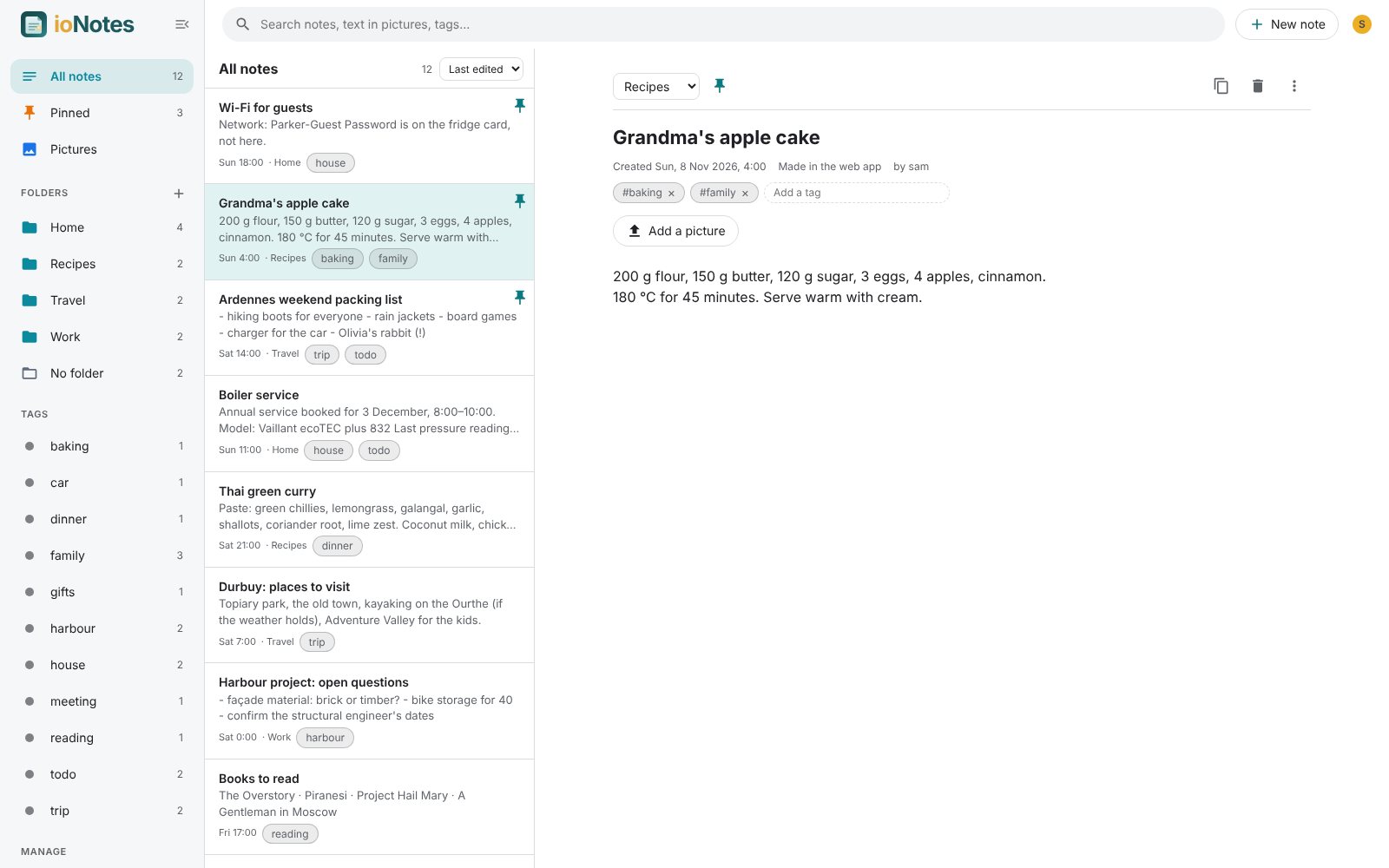
What it does
- Notes with a title, text, tags, a folder, a pin and optionally a picture (a screenshot, a photo) with the text read from it.
- Search every word you type, in titles, text, tags and the text inside pictures, through MariaDB's full-text index.
- Web app: folders and tags in the sidebar, editing that saves as you type, pictures pasted or dropped anywhere become notes, a change log, trash, import and export.
- On the Mac: everything you copy and every screenshot lands in an Inbox on that Mac; keep what is worth keeping as a note. Right-click › Save to ionotes in any app. On the iPhone and iPad: the same notes, paste and photos.
- Offline: the apps work without the server and send their changes when it is back.
- Private: every note belongs to the account that made it; nobody else sees it, admins included.
On its own
ioNotes is a complete notes app. It needs its database (MariaDB or MySQL, or a SQLite file for a quick try) and the Shared ioSuite database for its accounts. Text recognition for pictures added in the web app is optional (RapidOCR, about 60 MB); the Mac and iPhone read the text on the device.
With the other apps
- ioSuite: the start page's search box searches your notes.
- The same accounts and sign-in as every other app.
Install
| Proxmox VE | bash -c "$(curl -fsSL https://raw.githubusercontent.com/avandeputte/ionotes/main/proxmox/ct/ionotes.sh)" |
| Docker | docker-compose.yml: the image ghcr.io/avandeputte/ionotes |
| Any Linux or Mac | git clone https://github.com/avandeputte/ionotes && cd ionotes && ./setup.sh |
| Port | 8610 |
| Source | ionotes (server), ionotes-apps (Mac, iPhone, iPad) |
The Mac and iPhone apps are built from ionotes-apps with Xcode. See Phones, Macs and other apps.